AdSpyder – Ad Intelligence SaaS tool
A search and analysis tool for tracking online ads across platforms like Google, Facebook, YouTube, and LinkedIn.

WHAT I DID
Designed core UI flows for the MVP, built components, mapped early feature structures as the sole Product Designer.
Worked with the founder, frontend devs, and a product manager.
Collaborated with the data team to align UI with backend capabilities.
Worked on the product from the early planning phase until just before launch (2022–2023).
Product Goals
AdSpyder aimed to be a multi-platform ad intelligence tool built for marketers. The idea was simple: give people a way to track and research paid ads across search and social, so they could learn from competitors and improve their own campaigns. It was an ambitious product with real potential.
Here’s what we were trying to build:
Cross-platform ad tracking
Users could search for a keyword or brand name and see the ads being run across Google Search, Facebook, YouTube, LinkedIn, Flipkart, and more.
Results included details like headlines, copy, platform type, and visual previews of the ads.
Landing page & funnel analysis
Clicking into an ad showed the full landing page URL and traffic funnel.
The goal was to let marketers study where ads were leading and how brands structured their user journeys.
Keyword & domain insights
Users could input domains or keywords to explore associated ads, common keywords used, and how long campaigns had been active.
This helped identify patterns and potential opportunities.
Saved searches & collections
Logged-in users could bookmark ads, save search sessions, and organize findings into private collections for future reference.
UI Design
I was responsible for the UI design across the product. The roadmap wasn’t very clear and things kept changing as we built them, but I tried to bring some structure and clarity into how the product looked and behaved. Most of my time went into translating raw, often unclear ideas into usable, consistent screens that didn’t overwhelm users.
Ad Spy

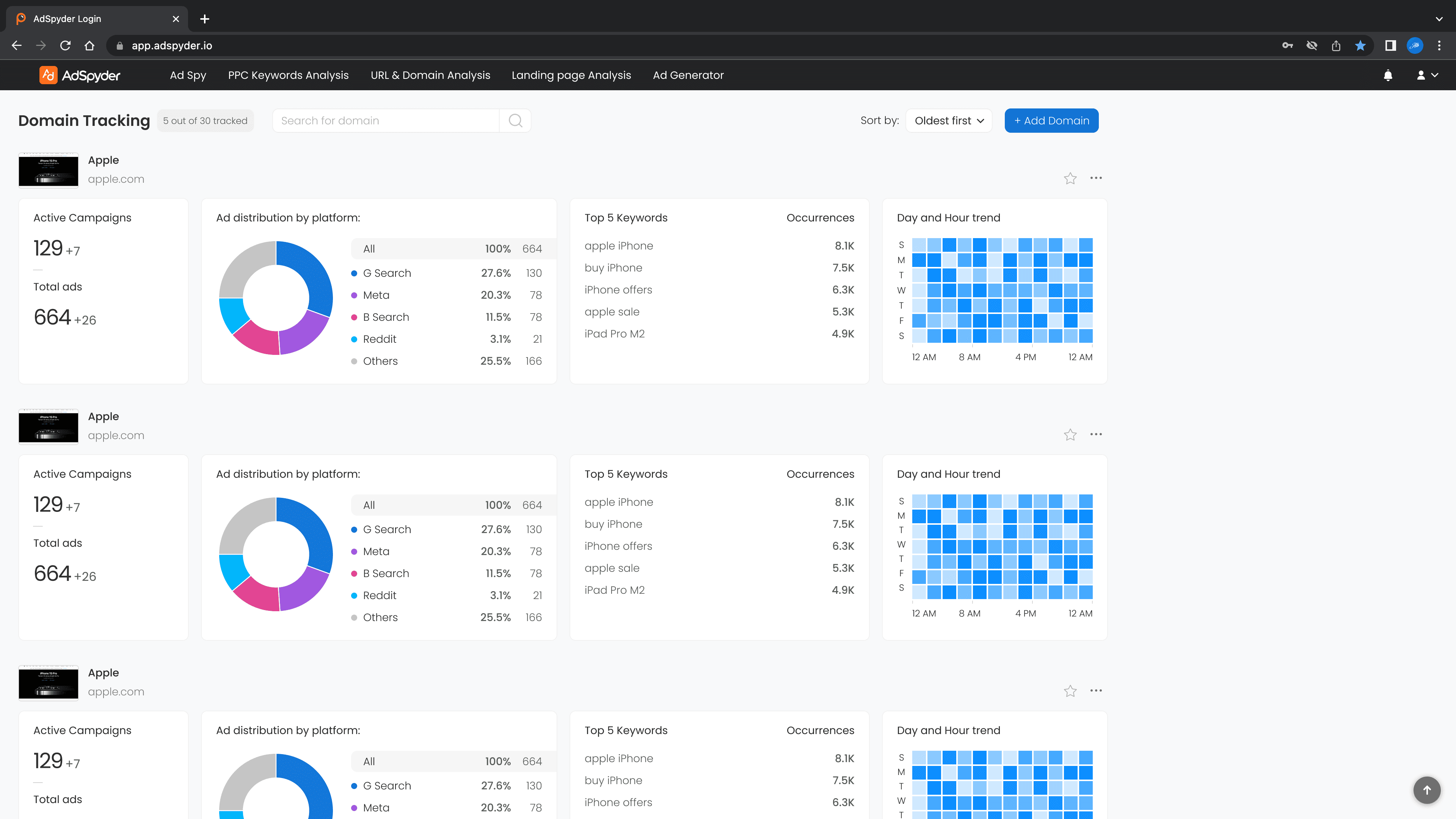
Users could search for ads across platforms like Google, Facebook, YouTube, LinkedIn and others.
The results were shown as cards specific to each platform, with key fields like headline, description, call-to-action, and destination URL.
I designed each card separately based on the ad type.
Google Search ads, YouTube cards, Facebook feed ads, product listing ads; each had a unique layout.
Added sorting and filtering options to narrow results by location, platform, device, and ad type.
Keyword Analysis
Users could either search for a keyword or enter a domain to see how it was being used in paid ads.
For keyword search:
Showed which domains were bidding on it
Displayed top advertisers, keyword frequency, and usage trends
For domain input:
Showed the list of paid keywords that domain was targeting
Included matching ad copies, similar keywords, and historical keyword data
I kept the design modular so it could adapt to new data types like keyword clusters or seasonal trends.
URL and Domain Analysis


Let users input a full URL or root domain and track where its ads appeared.
Displayed:
Full URL listings
Ad frequency
Funnel view, when available
Target platform (Google, Facebook, etc.)
For the funnel view, I designed a simple linear visual flow of user actions and CTA points on the landing page.
This was still being refined when I left.
Landing Page Analysis
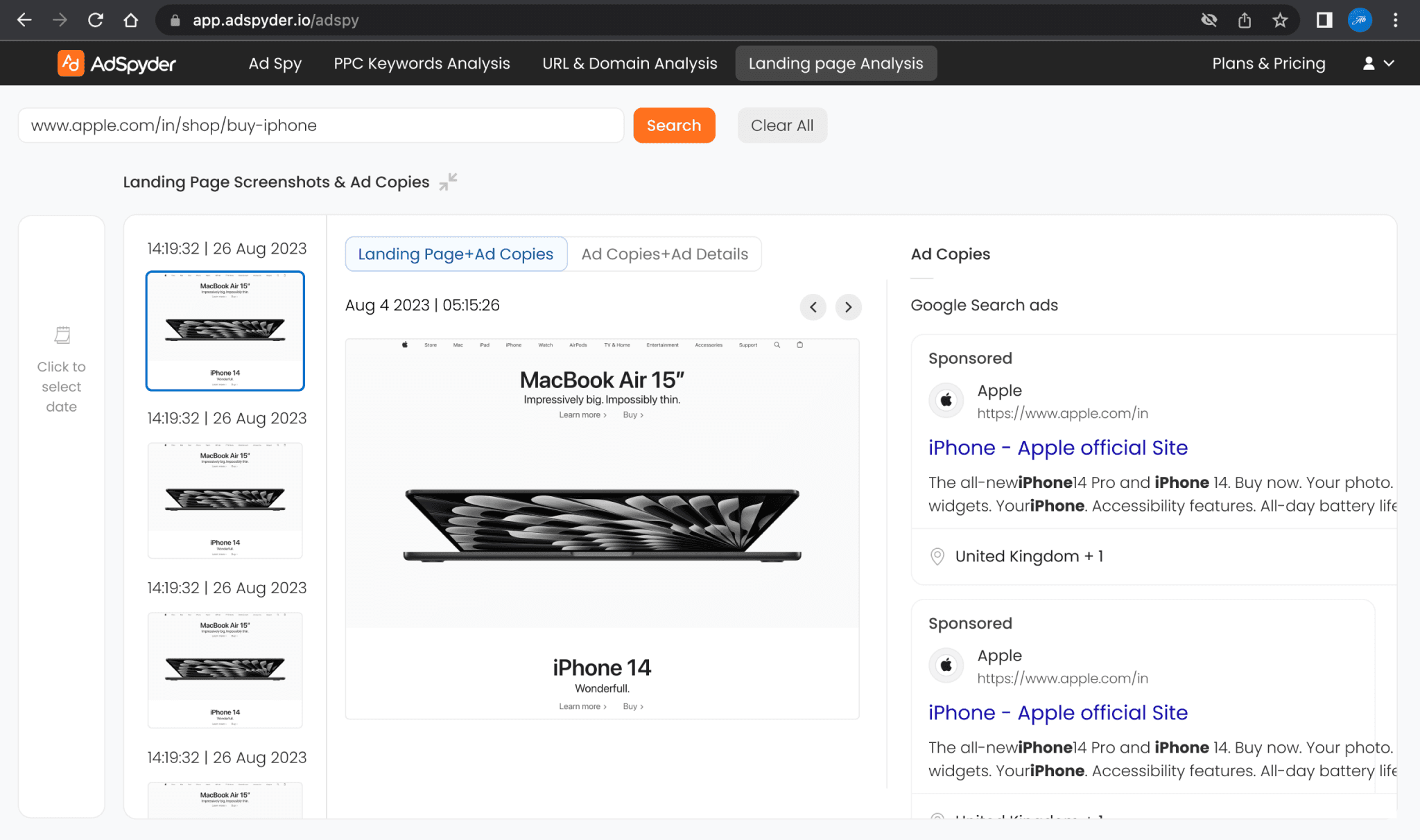
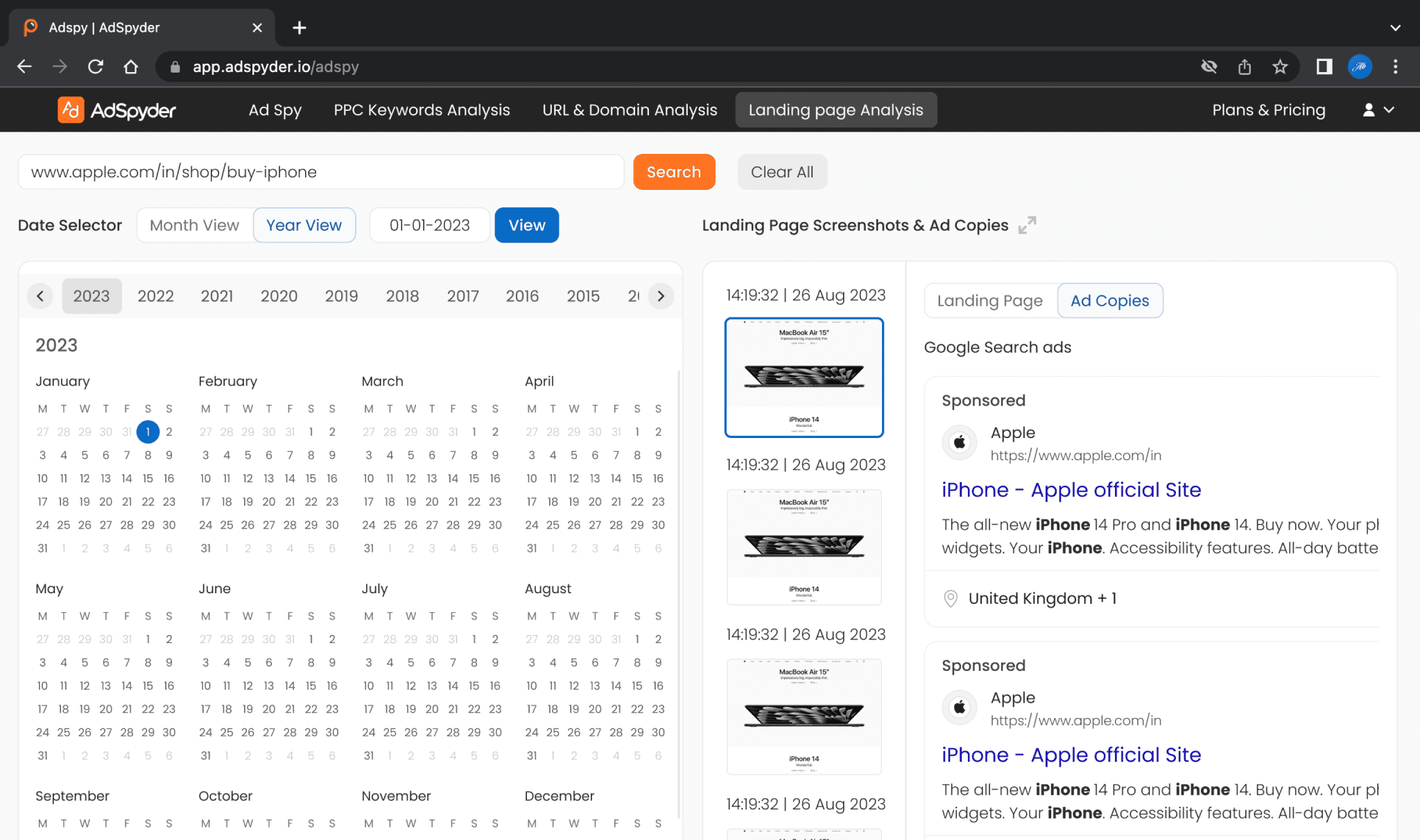
Users could pick a date from a calendar to view screenshots.
Each screenshot was paired with ad copies that pointed to the page.
The right side showed ad details like platform, headline, targeting, and duration.
This helped users study how a landing page and its ads evolved over time.
Saved Ads and Collections


Users could save ads they liked and group them into collections.
I designed:
Save buttons on each ad card
A modal to add ads to a new or existing collection
The main saved items dashboard for viewing and managing them
What I Learned
I realised how important it is to have clarity on user needs before jumping into UI.
I spent a lot of time designing flows and interfaces, but without strong product direction, it was easy to go wide instead of deep. I’ve learned to ask sharper questions upfront and push for more context before diving in.
I used this project to understand how marketers and advertisers think, even though I came in with little background.
I studied the UI of major platforms like Google and Facebook Ads and gradually got a sense of what kind of data matters to them. But I now know how crucial it is to work alongside someone with domain expertise when building for a specialised user base.
I learned to bring structure in the middle of evolving, sometimes unclear goals.
Since we didn’t always have fixed roadmaps, I tried to keep my designs modular and scalable so they could adapt to changes. That taught me how to design with uncertainty in mind.
I also saw firsthand how much team dynamics affect the product.
A lot of work happened in isolation because we didn’t have regular check-ins or a strong system to stay in sync. I still did my best to stay aligned, but without proper communication, even solid ideas can miss the mark. Since then, I’ve started sharing things earlier and checking in more often so things don’t drift.
