
Calculator Prime – iPad Calculator
A calculator app for the iPad, designed and built from scratch to look and feel like Apple. Until 2024, the iPad never had a calculator app.

WHAT I DID
Meticulously designed and built an iPad only calculator app to fill a real gap—when the iPad still had no native calculator app. This was my first ever coding project.
Built entirely in SwiftUI, with UIKit used for text input and expression rendering.
Classic mode: a precise, working replica of the pre-2024 iOS calculator.
Expression mode: supports complex input, editable expressions, and advanced functions.
Cold launched in 5 months.
Why I built it
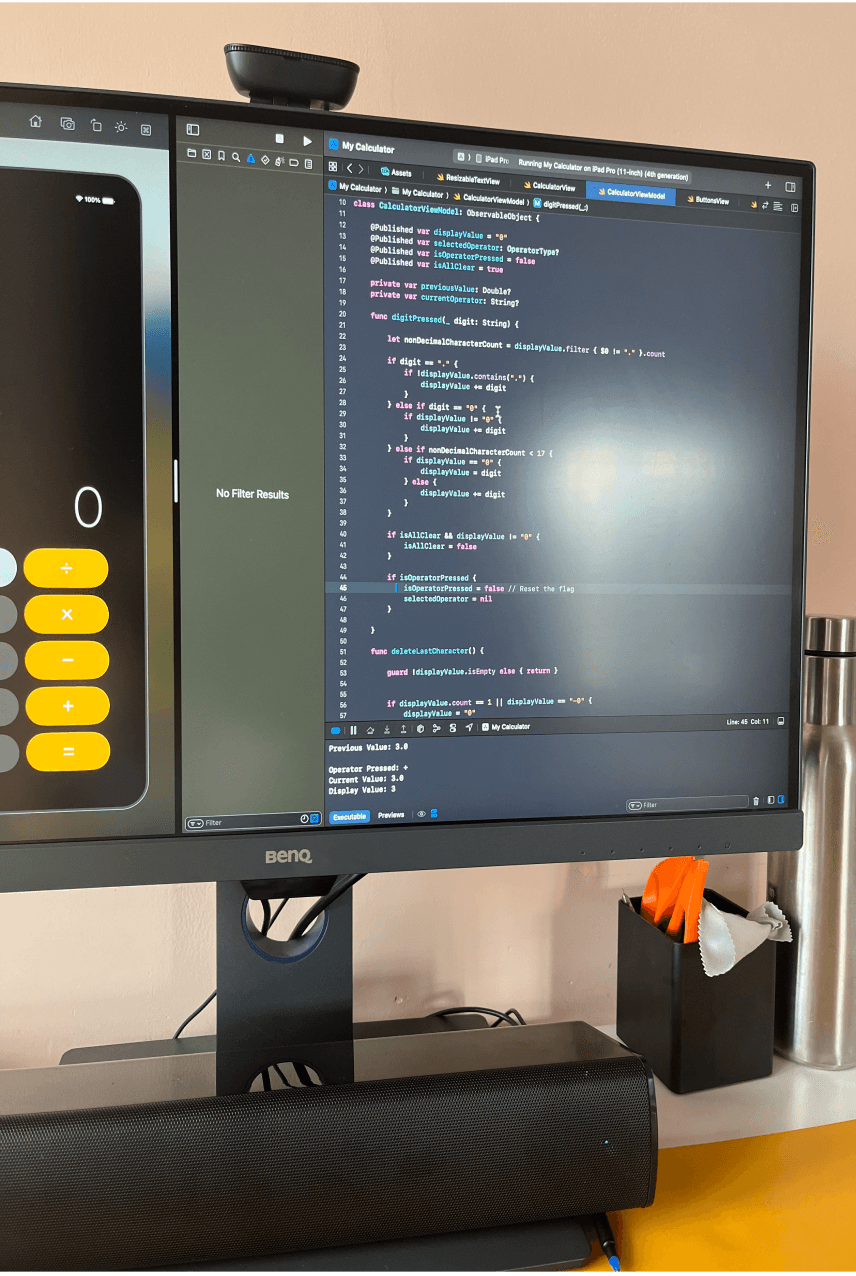
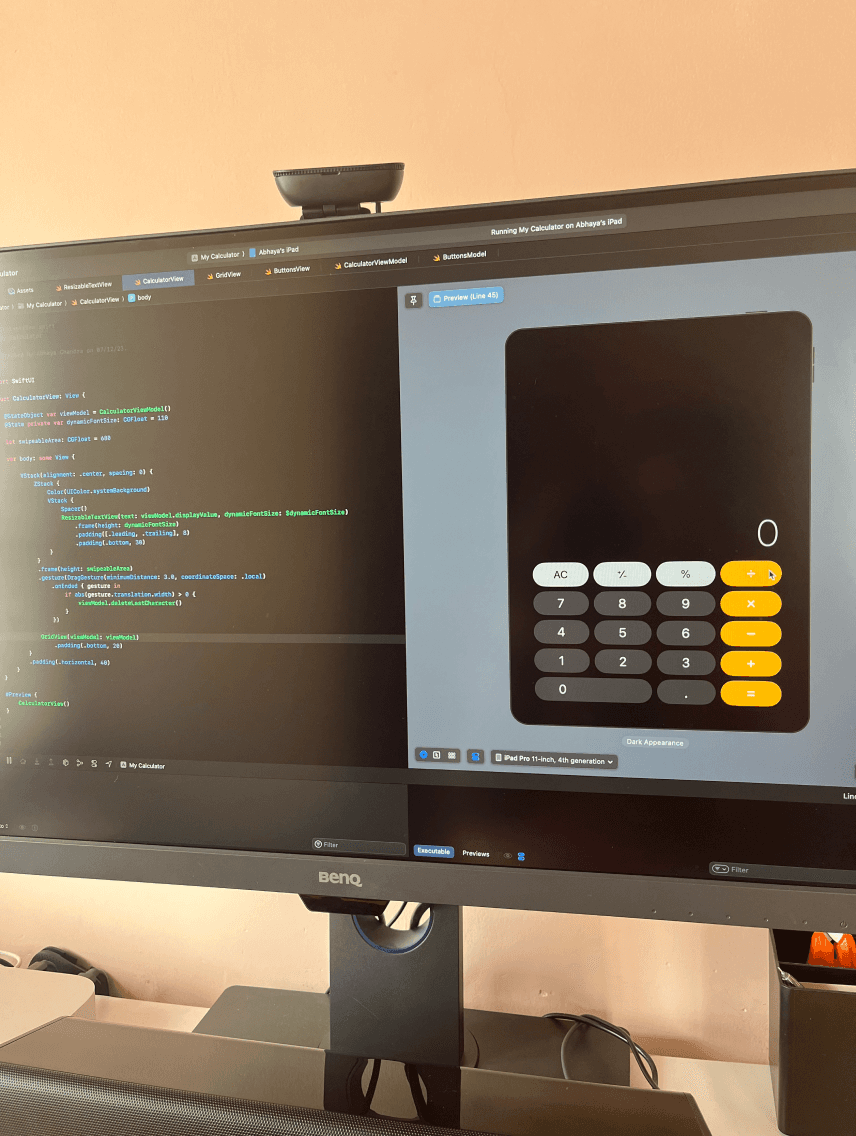

Early builds
After quitting my job in late 2023, I finally had time to figure out what I really wanted. I’d always loved design, but I wanted to build things that actually worked. Not just mockups.
I chose iPadOS because I loved the Apple ecosystem and wanted to eventually build for Vision Pro. But I knew I had to start small.
The iPad still didn’t have a native calculator app. Most third-party ones were bloated, ugly, or packed with ads. So I decided to make my own. Clean, native-feeling, and built from scratch.
The Problem


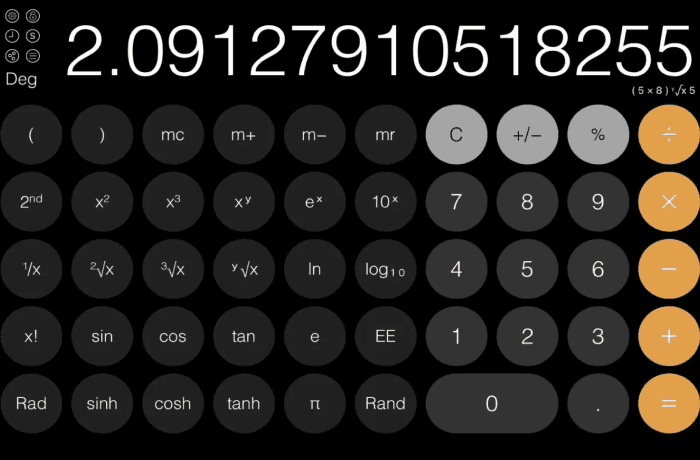
iOS Calculator
(pre-2024)
Third-party
alternatives
I mostly used the iPhone’s default calculator, even while on my iPad as the third-party options just never felt good enough.
The iPhone calculator had key limitations:
No way to see or edit the full expression
No history view
Delete key was hidden behind a swipe
Advanced functions limited to landscape mode
Most iPad alternatives had their own issues:
Cluttered or outdated UI
Full of ads or paywall interruptions
Slow, buggy, or not well maintained
Didn’t feel like real iPad apps
Research & Insights
Do you miss having a first-party calculator app on the iPad?
88% of respondents said yes. They missed having a native calculator.
How satisfied are you with your current iPad calculator app?
Even among those using alternatives, 61% rated them average at best.
How else do you do calculations? (Those who don’t use a third-party calculator)
Most gave up on iPad calculators and just reached for their iPhones instead.
What do you dislike about the default iPhone calculator app?
The default app looked good—but users hated how little control it gave them.
Reddit survey responses
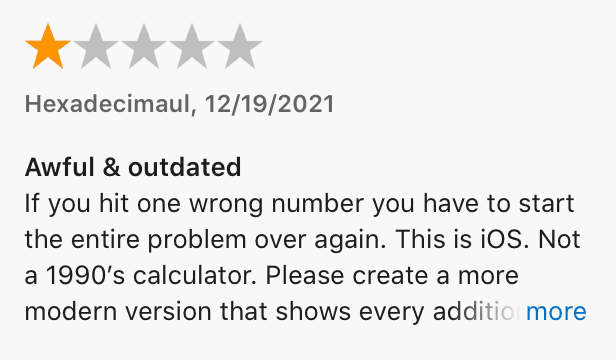
Some App Store reviews
iOS calculator
reviews
I usually reached for the iPhone calculator, even while being on iPad, because third-party options felt off. To confirm this wasn’t just me, I ran surveys using Google Forms.
🧪 Reddit surveys: iPad and iPhone
I ran two separate Reddit surveys: one focused on iPad users (over 200 responses), and another targeting iPhone users. I also combed through App Store reviews across Indian and US stores to understand real-world frustrations with existing calculator apps.
⬛ iPad survey insights
88% of respondents said they missed having a native calculator on iPad.
About 50% had tried third-party apps, but satisfaction was low, over 60% rated them a 3 or below.
Among those who didn’t use any calculator app, 71% said they just used their iPhone instead.
The message was clear: users didn’t trust the quality of iPad calculator apps.
What they actually wanted was simple: a clean, responsive, native-feeling calculator.
📱iPhone survey insights
Most users rated the default calculator 3 or higher, citing its sleek look and for handling everyday math quickly.
But beneath the surface, frustration was consistent:
No ability to see or edit full expressions
No history view
No visible delete character key
Scientific functions only in landscape
In short, users liked how it looked, not how it behaved. It was fast and familiar, but shallow and limiting.
Most stuck with the default simply because third-party apps felt worse.
🛒 App Store review patterns
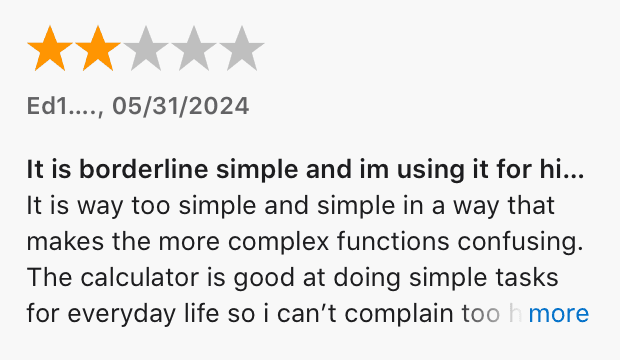
App Store reviews reflected the same frustrations—poor iPad support, cluttered design, intrusive ads, and unreliable performance. Even top-ranked apps felt bloated or outdated.
Goals
After going through all the survey responses and reviews, these were the things that kept coming up. So I set a clear direction for what the app needed to do:
Build a calculator that feels like the iPhone app, but designed natively for iPad.
Let users enter, view, and edit full expressions easily.
Include a clear, accessible history panel.
Make scientific functions accessible in portrait mode.
Keep the experience clean, stable, and free of ads or clutter.
Design Highlights

Swipe-action
button
Layout Overview
Expression Mode uses a clean, single-screen layout tailored for iPad. It includes:
A dual-line expression area: live result above, editable input below.
A primary grid for digits and operators.
A secondary grid for advanced functions, shown persistently in landscape or via swipe in portrait.
Primary Button Grid
Includes digits, basic operators, parentheses, and clear/delete keys.
Spaced and sized for iPad tap precision.
Parentheses are handled by a joint braces button that toggles between ( and ) based on context.
Users can switch to separate brace buttons in Settings.
Advanced Button Grid
Contains scientific functions like sin, π, log, powers, roots, etc.
Grouped by function type, accessible via swipe or full layout in landscape.
Swipe Action Buttons
Many advanced keys support a secondary function via swipe-down.
e.g., sin (tap) vs asin (swipe)
Secondary labels are shown above in lighter font.
Angle Unit Toggle
A Deg/Rad toggle sits in the advanced function grid. An indicator is present in the top left side of the input area
Takes two grid cells for clarity and easier tapping.
Visual Design
The visual style follows the design language of the default iOS calculator prior to the 2024 redesign:
Uses native system components and default styling throughout.
Layout, spacing, and color balance are tuned to feel like a stock Apple app in both light and dark mode.
Settings and History
Users can toggle modes, adjust font size and precision, change operator colors, and switch brace behavior.
A history of evaluated expressions is saved in Expression Mode and can be restored via the clock icon.
Dev Highlights
Calculator Prime was my first iOS project. I built it almost entirely in SwiftUI with no templates, no pre-made components. I wasn’t trying to follow best practices. I just wanted to build something real from start to finish and figure out how I think and work as a developer.
I used GPT-4 heavily throughout the project. Every feature started with a rough first draft generated by the model. I would take that output, test it, break it, and rework it by hand. Over time, I learned how to take partial answers and shape them into working features.
Structure and State
The app is split into two main modes: Expression Mode and Classic Mode.
Each mode has its own logic, views, and state. Nothing is shared between them.
Built entirely in SwiftUI using ObservableObject and @Published for state.
Views are kept passive. All actions and updates are handled by ViewModels or helper logic.
UIKit was used to build the build the input text field and expression rendering.
Expression Mode
Supports full math expressions with mid-string edits and cursor navigation.
The expression is not typed into a native text field. It is drawn manually using UIKit.
I wrote custom logic to handle formatting, spacing, comma placement, and decimal correction.
A list of valid characters and labels is used to filter all user input before evaluation.
MathParser is used for the final result, but everything else before that is done manually.
Most of the layout and behavior was shaped by manual testing and fixing things step by step.
Classic Mode
A replica of Apple’s pre-2024 iOS calculator. Layout, behavior, and results are matched exactly.
No math parser was used. The logic was written by manually testing Apple’s calculator and replicating its output.
Handles operator chaining, percentage behavior, sign toggles, and rounding the way Apple’s calculator did.
Portrait-only layout with a simpler UI and no mid-expression editing.
Reflections
The project has flaws. Logic is scattered across too many files. Some things are over-engineered. Others are patched with layout hacks.
A lot of the formatting code became messy over time as I kept trying to fix edge cases.
But this was my first real project. I wasn’t aiming for clean architecture. I was aiming for control.
I used whatever tools I needed to make it happen, including GPT-4. I learned by building, not by reading theory.
Looking back, it wasn’t clean or elegant. But it worked. And it taught me a lot about how I build under pressure.
Launch & Aftermath





Reddit feedback. I’m really grateful for such great responses!
Released after around five months of solo work, with a quiet launch and no marketing.
Shared once on Reddit and got strong feedback. People appreciated the UI, the feel of the app, and the expression editing experience.
Around the same time, Apple announced their own redesigned calculator for iPad, with cross-platform support and handwriting features.
Users were clearly excited for Apple’s version, and once it launched, most moved on. So did I.
I had planned features like layout customisation, Pencil input, keyboard support, and an iPhone version, but I chose not to build them. I had already shipped what I set out to make, and the timing made it clear there was no need to keep going.
No regrets. It was a complete, functional product that taught me what it really takes to build and ship something end to end.
Maybe I’ll start working on it again someday, especially to support older devices that didn’t get iOS 18.
