
Subby – iOS Subscription Tracker
Subby is a subscription tracker for iOS that I designed and built from scratch. It helps users stay on top of renewals at a glance, with a simple UI focused on clarity and a sleek, minimal aesthetic.
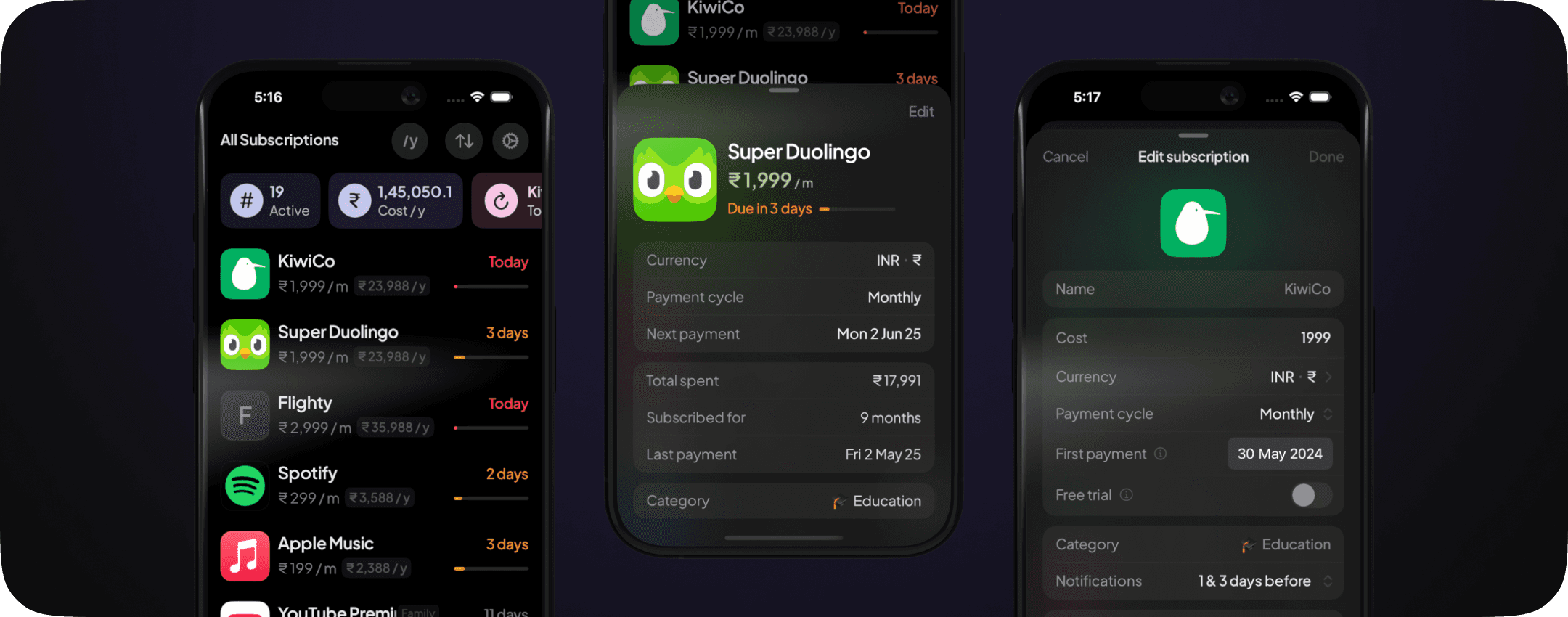
WHAT I DID
Designed & built solo.
Launched in 4 months, without any ads, landing page, or audience
CURRENT STATS | APR 1 - MAY 25
330+ downloads, 23 paying users
6.8% opt-in to paid, $100+ revenue
88.1% via App Store search, 0 crashes
Why I built Subby


iOS Reminders
I wanted to design and build an app to practice my skills in both design and iOS development. A subscription tracker felt like a good place to start, and I needed one for myself anyway.
I was using iOS Reminders to track renewals and bills. It worked, but it felt basic. No totals, no stats, nothing that gave me a clear view of my spending.
The other apps I tried didn’t feel right either. They were too cluttered, too generic, or just not pleasant to use. So I decided to build something that felt better.
The Problem


Other apps in this space
People forget when their subscriptions renew, and most don’t even realise how many they have, or how much they’re spending. With the average user now paying for 12+ subscriptions, this is no longer a niche problem.
Most apps don’t make Days to Renewal easy to glance. They show the info, but it’s not treated as primary, even though that’s exactly what users need to notice first.
Existing tools feel bloated, clunky, or boring. I wanted to build something calm, clear, and focused on what’s actually important—upcoming renewals.
Goals


App inspiration

Queue
podcasts
The goal was to build a clean, intuitive subscription tracker that feels like it belongs on iOS, without any account system or backend.
I wanted it to support all global currencies properly and work fully offline, with smooth animations, haptics, and gesture-based interactions.
The app had to feel calm and simple to use, but not boring. No tutorials or friction, just open and understand.
Design Highlights
UI Foundation

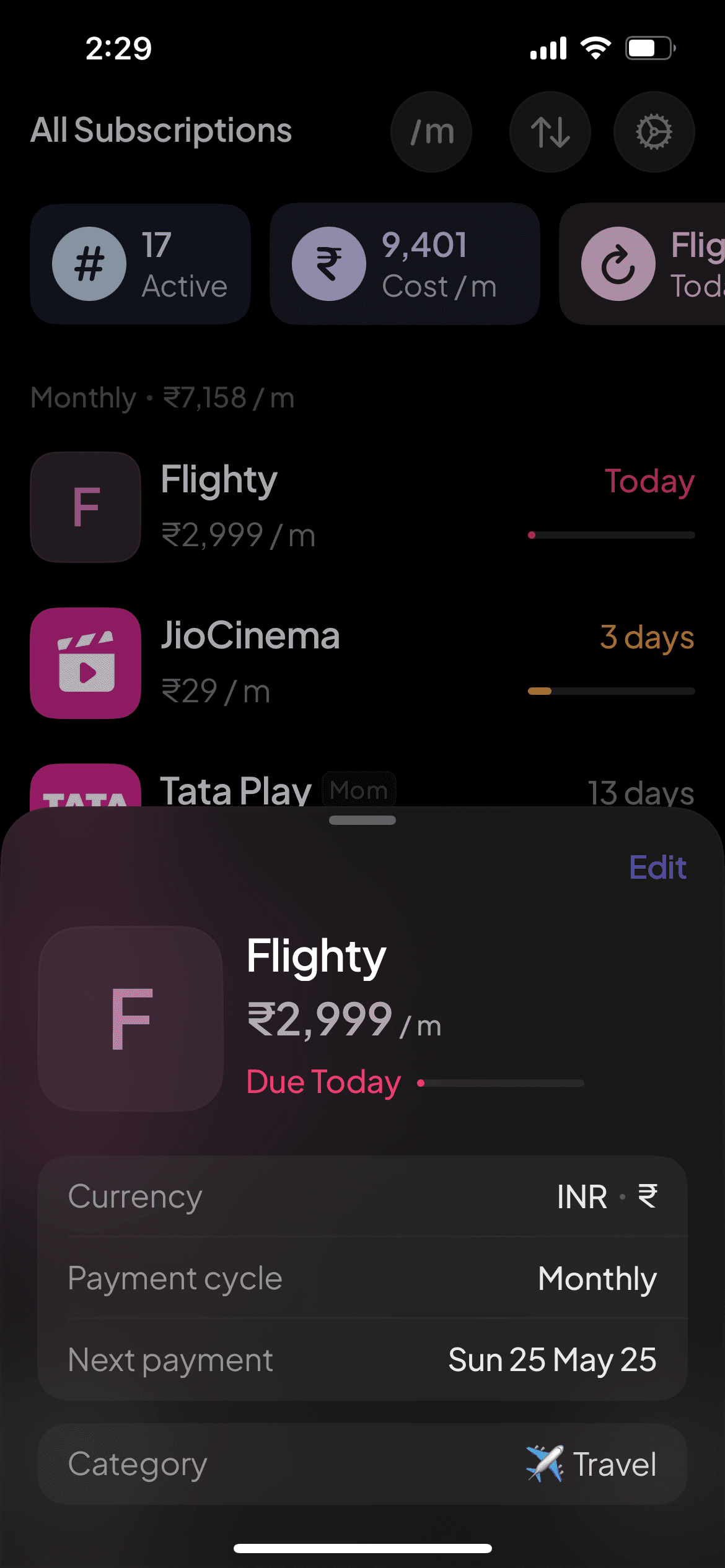
The app is built around a single list view. There are no tabs or multiple screens. Sorting by Days remaining turns it into a timeline of upcoming renewals. That made a separate calendar unnecessary.
Adding, editing, and settings all open as bottom sheets, so you never lose context.
You can also sort by recently added or cost. Subscriptions can be grouped by payment cycle, with the total shown for each group.
Visual System

Plus Jakarta Sans
SF Symbols
Days-left indicator colors
Progressive blur
on tool bar


Translucent
SwiftUI material
Layout is clean and consistent, using common spacing values.
Typeface: Plus Jakarta Sans for a modern, slightly different tone from system default.
SF Symbols used throughout for visual consistency.
Custom color palette with light/dark mode adjustments.
Translucent SwiftUI materials (.regularMaterial, .thinMaterial) and Progress blur applied for soft layering.
Accessibility support is planned for a future update.
Functional Features


/m

Display payment
cycle toggle
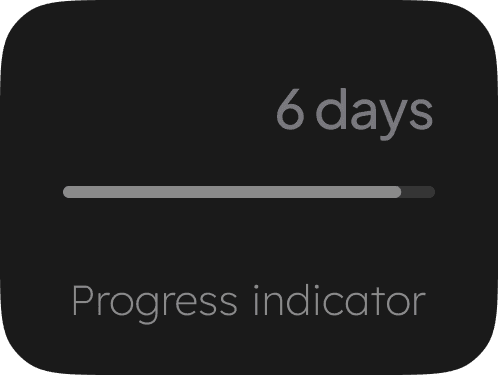
Reverse progress bar that shrinks as the renewal date approaches, resets per cycle.
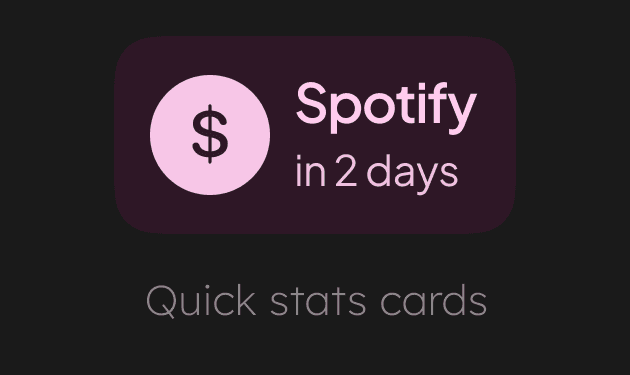
Quick stat cards for total spend (monthly/yearly), number of subscriptions and upcoming renewals.
Multi-currency handling: Totals in Preferred currency, with Simplified cost per month/year.
Display payment cycle toggle (monthly/yearly) affects how simplified costs are shown.
Free trials management. Marking subscriptions as Cancelled to separate them from active subscriptions.
Core UX Decisions
Casual user focus
Subby was designed for casual users who just want to stay on top of renewals, without digging through dashboards or charts. That shaped every decision in the app.
Single screen layout
The entire experience runs on a single screen. No tabs or separate views. All interactions like adding or editing a subscription happen through bottom sheets, so users stay in context.
Focused feature set
Non-core features like calendars, custom payment cycles, detailed stats, filters, and export options were left out. The focus was to nail the core experience first, ship faster, and add things later based on real user feedback.
On-device only
There’s no account system. Everything runs on-device to keep it private and frictionless. iCloud syncing will be added in a future version to support data sync across devices using the same Apple ID, so there’s no need for a backend right now.
Dev Highlights
Subby was built entirely in SwiftUI with a focus on clarity and modular structure. Every part of the product was handled solo, including design, code, architecture, and logic. No templates or boilerplate. A significant amount of time was spent on optimising the code to make the app feel snappy performant.
Architecture and State
Built with NavigationStack and NavigationPath for full programmatic control over sheet transitions.
All flows like add, edit, sort, settings, details, and paywall open as SwiftUI Sheets, based on app state. No tab bar or screen-based navigation.
Views don’t handle logic. A single core object wires up managers for UI state, sheet flow, subscriptions, purchases, and toasts. All actions and updates are managed by external state managers.
Uses @ObservableObject for state management with minimal bindings or environment objects.
The code avoids unnecessary layers or libraries. Everything is written in native SwiftUI.
Core Systems and Logic
Billing logic is fully local and handles leap years, monthly drift, trial periods, cancellations, and reactivation.
Currency engine supports 160+ currencies, uses daily exchange rates, and displays both original and converted values.
Notification system runs offline with auto-repair on app launch if system purges or permissions change.
All data is stored using UserDefaults or AppStorage. No backend or login system. iCloud sync is not live yet but planned.
RevenueCat integration handles purchases, fallbacks, restores, and one-time unlock.
UI and Interaction
UI is fully modular and built from fully custom and reusable components: capsule buttons, input fields, sheet rows, and cards.
Toast system includes five types with slide-in animation, haptic feedback, and gesture dismiss.
Custom fields and controls include tooltip flows, toggles, dropdowns, cost input, and trial switches.
Custom placeholder logos are auto-generated when adding custom subscriptions.
Launch & Aftermath
Launched with no audience, no ad budget, and no marketing push. Reached 4,400+ App Store impressions, 920+ product page views, and over 330 downloads, in 7 weeks.
23 users converted to paid, with a 6.8% paid conversion rate. Feedback included: “Beautiful UI”, “Simple”, “Love the app”, “Easy to use”.
The hardest part wasn’t building. It was putting the product out there and getting people to notice. Visual polish helped but wasn’t enough on its own.
Next steps include adding motion, personality, and small shareable moments. Also planning to be more consistent and confident about showing the work publicly.
Every part of the app, including design, code, UX, and marketing, was handled solo. The learning curve was intense but fast.
